After you've gone through the steps to create a group, they'll appear in the Groups list. Every recipient has five sub-sections:
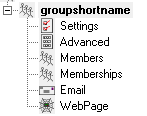
This section displays information about the basic configuration of this recipient, including specified carrier, contact address and enabled services. For more information, see the Creating a Recipient section.
This section allows you to configure comments, security manager and message holds.
This section allows you to add and remove members of this group.
This section allows you to choose which groups this group has membership within.
This section is used in conjunction with the GetMail API. The GetMail API must be enabled to access this section.
This section is used on conjunction with the GetWeb API. The GetWeb API must be enabled to access this section.