The Memberships sub-section of a Group allows you to specify which groups this group is a member of. In the example shown below, the 'station_1' group is a member of the 'all_call' group but is not a member of the 'station_2' group.
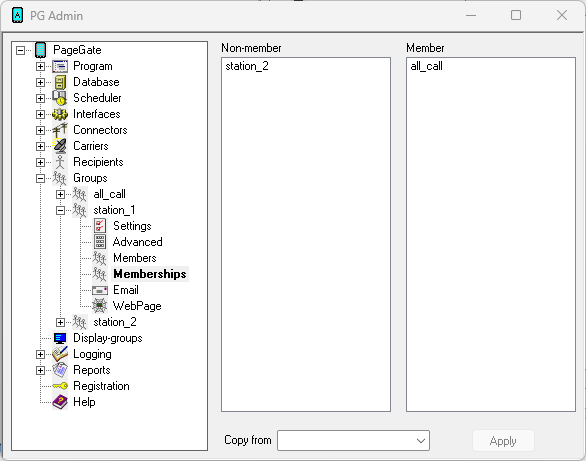
To add an entry to the Members list, click on the name of the recipient or group under the "Non-members" category.
To remove an entry from Members the list, click on the name of the recipient or group under the "Members" category.
To copy another group's membership, select that group in the 'Copy from' field.